开篇

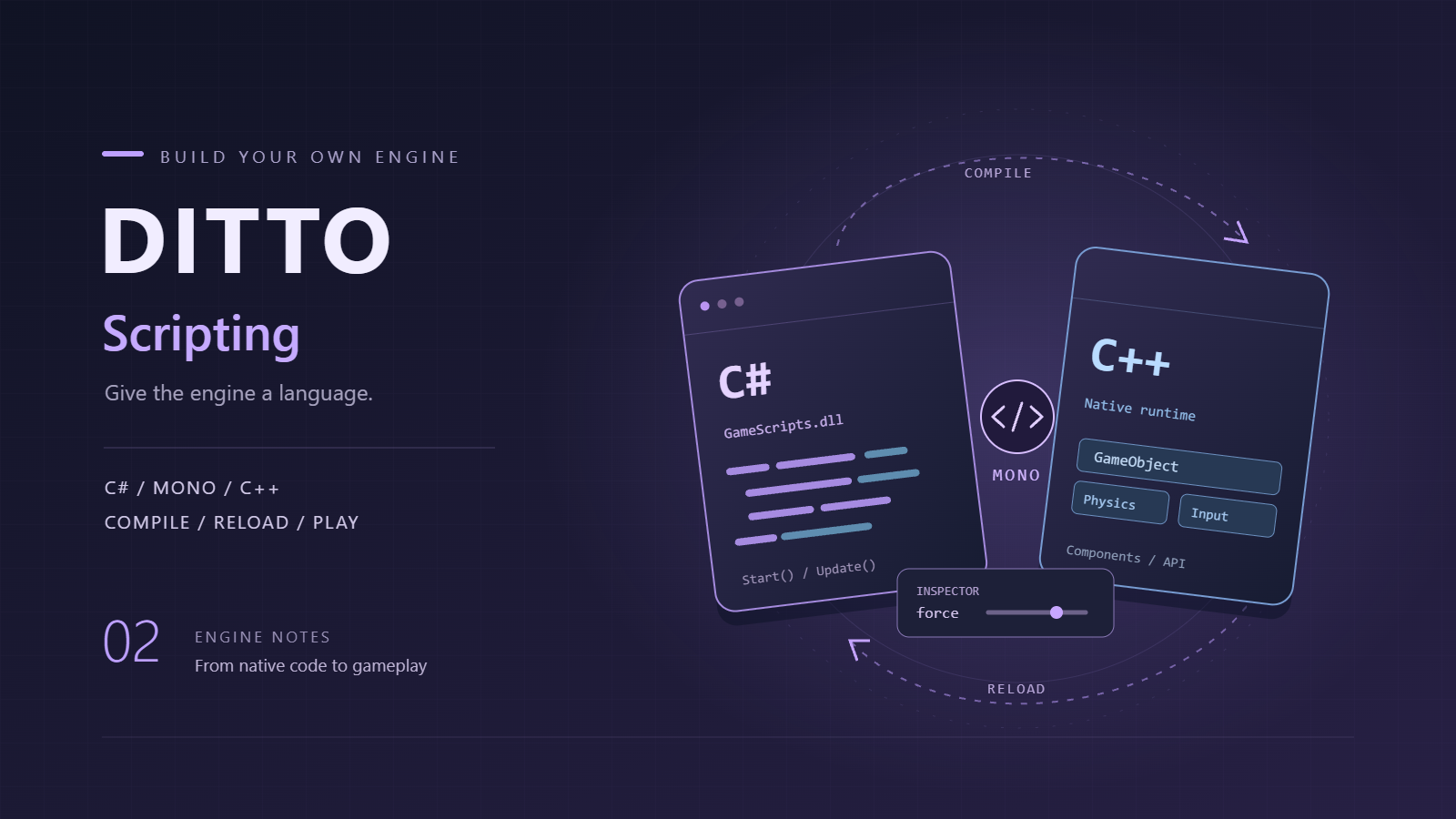
界面大改后,引擎总算有个能看的样子了。但光有 C++ 写死逻辑总归不灵活——每次改东西都要重新编译,调试周期太长。所以这次的目标很明确:把 C# 脚本跑起来,改完保存就能生效,所想即所得。

引擎采用 Mono 嵌入式方案:C++ 引擎本身嵌入了 Mono 运行时(通过 MonoRuntime.h/cpp 管理),C# 脚本编译为 DLL 后由引擎加载,生命周期方法由 C++ 驱动。这种方案运行时完全由引擎掌控,脚本只是被调度的业务逻辑——和 Unity 的思路一致,但省去了大量 IL 编译和 AOT 的复杂性。

打包的事顺带也一起整了,毕竟一个引擎不能光自己跑,得能分发出去才好卖钱。

Mono 运行时集成

前言

C++ 嵌 Mono 有两条路:

  1. Mono Embedding API(本文路线):C++ 直接调用Mono系列 API 管理域、程序集、对象。自由度低但够用,代码量少。
  2. Mono Runtime Hosting API:更接近 Unity 的做法,可以控制 AppDomain、IL 编译、线程模型等。复杂但灵活。

初始化 Mono 运行时

Mono 的初始化需要提供 mono.dll 的路径和 CLR 数据目录:

1
2
3
4
5
6
7
8
9
10
11
12
13
14
15
16
17
18
19
20
21
22
23
24
25
26
27
28
29
30
// MonoRuntime.cpp
bool MonoRuntime::Initialize(const std::string& monoLibPath)
{
// 加载 mono.dll
HMODULE monoModule = LoadLibraryA((monoLibPath + "/mono.dll").c_str());
if (!monoModule)
{
std::cerr << "[MonoRuntime] Failed to load mono.dll from: " << monoLibPath << std::endl;
return false;
}

// 获取核心函数指针
mono_set_dirs = (MonoSetDirs)GetProcAddress(monoModule, "mono_set_dirs");
mono_jit_init = (MonoJitInit)GetProcAddress(monoModule, "mono_jit_init");
mono_domain_set_config = (MonoDomainSetConfig)GetProcAddress(monoModule, "mono_domain_set_config");
mono_domain_unload = (MonoDomainUnload)GetProcAddress(monoModule, "mono_domain_unload");
// ... 更多函数指针获取

// 设置 CLR 搜索路径
mono_set_dirs(corlibPath.c_str(), configPath.c_str());

// 创建 JIT 域
monoDomain = mono_jit_init("DittoRuntime");

// 注册内部调用函数
RegisterInternalCalls();

s_initialized = true;
return true;
}

核心思想是把 mono.dll 当普通动态库加载,然后逐个获取函数指针。好处是不需要编译期链接 mono.lib,部署时只要保证 mono.dll 在同一目录即可。

注册内部调用

C++ 函数要能被 C# 调用,需要通过 mono_add_internal_call 注册到 Mono:

1
2
3
4
5
6
7
8
9
10
11
12
13
14
15
16
17
18
19
20
21
22
23
24
25
26
27
28
29
30
31
32
33
34
35
36
37
38
39
40
41
42
43
44
45
46
47
48
49
50
51
52
53
54
// CSharpScript.cpp
void CSharpScriptSystem::RegisterInternalCalls()
{
// Transform
MonoRuntime::AddInternalCall("DittoEngine.Transform::GetPosition",
(void*)&Internal_Transform_GetPosition);
MonoRuntime::AddInternalCall("DittoEngine.Transform::SetPosition",
(void*)&Internal_Transform_SetPosition);

// GameObject
MonoRuntime::AddInternalCall("DittoEngine.GameObject::GetTransform",
(void*)&Internal_GameObject_GetTransform);
MonoRuntime::AddInternalCall("DittoEngine.GameObject::GetComponentByType",
(void*)&Internal_GameObject_GetComponentByType);

// Renderer
MonoRuntime::AddInternalCall("DittoEngine.Renderer::GetColor",
(void*)&Internal_Renderer_GetColor);
MonoRuntime::AddInternalCall("DittoEngine.Renderer::SetColor",
(void*)&Internal_Renderer_SetColor);

// Light
MonoRuntime::AddInternalCall("DittoEngine.Light::GetColor",
(void*)&Internal_Light_GetColor);
MonoRuntime::AddInternalCall("DittoEngine.Light::SetColor",
(void*)&Internal_Light_SetColor);
MonoRuntime::AddInternalCall("DittoEngine.Light::GetIntensity",
(void*)&Internal_Light_GetIntensity);
MonoRuntime::AddInternalCall("DittoEngine.Light::SetIntensity",
(void*)&Internal_Light_SetIntensity);

// Rigidbody
MonoRuntime::AddInternalCall("DittoEngine.Rigidbody::GetBodyType",
(void*)&Internal_Rigidbody_GetBodyType);
MonoRuntime::AddInternalCall("DittoEngine.Rigidbody::SetBodyType",
(void*)&Internal_Rigidbody_SetBodyType);
MonoRuntime::AddInternalCall("DittoEngine.Rigidbody::GetMass",
(void*)&Internal_Rigidbody_GetMass);
MonoRuntime::AddInternalCall("DittoEngine.Rigidbody::SetMass",
(void*)&Internal_Rigidbody_SetMass);
MonoRuntime::AddInternalCall("DittoEngine.Rigidbody::GetUseGravity",
(void*)&Internal_Rigidbody_GetUseGravity);
MonoRuntime::AddInternalCall("DittoEngine.Rigidbody::SetUseGravity",
(void*)&Internal_Rigidbody_SetUseGravity);
// ... 更多

// Debug
MonoRuntime::AddInternalCall("DittoEngine.Debug::Log",
(void*)&Internal_Debug_Log);

// Time
MonoRuntime::AddInternalCall("DittoEngine.Time::GetDeltaTime",
(void*)&Internal_Time_GetDeltaTime);
}

AddInternalCall 的实现本质上就是调用 mono_add_internal_call:

1
2
3
4
void MonoRuntime::AddInternalCall(const std::string& name, void* method)
{
mono_add_internal_call(name.c_str(), method);
}

C++ 函数实现

以 Transform 为例,C++ 函数接收 C# 传过来的指针,再操作引擎内部数据:

1
2
3
4
5
6
7
8
9
10
11
12
13
14
15
16
17
18
19
20
21
22
23
24
25
26
27
28
29
30
31
// CSharpScript.cpp
void Internal_Transform_GetPosition(void* transform, float* outPos)
{
if (!transform || !outPos) return;
TransformComponent* t = static_cast<TransformComponent*>(transform);
outPos[0] = t->position.x;
outPos[1] = t->position.y;
outPos[2] = t->position.z;
}

void Internal_Transform_SetPosition(void* transform, float x, float y, float z)
{
if (!transform) return;
TransformComponent* t = static_cast<TransformComponent*>(transform);
t->position = glm::vec3(x, y, z);
}

void* Internal_GameObject_GetTransform(void* gameObject)
{
if (!gameObject) return nullptr;
GameObject* go = static_cast<GameObject*>(gameObject);
return go->GetComponent<TransformComponent>();
}

void Internal_Debug_Log(void* msg)
{
if (!msg) return;
MonoString* monoStr = static_cast<MonoString*>(msg);
std::string str = MonoRuntime::GetStringFromMono(monoStr);
std::cout << "[C#] " << str << std::endl;
}

关键在于:C++ 侧不直接暴露 C++ 类给 C#,而是通过 void* 指针传递,C# 侧用 IntPtr 接收。这样避免了复杂的跨语言类型映射。

脚本实例生命周期

Mono 侧 C# 对象的生命周期由 C++ 通过 MonoRuntime::ScriptInstance 管理:

1
2
3
4
5
6
7
8
9
10
11
12
// MonoRuntime.h
struct ScriptInstance
{
MonoObject* instance = nullptr; // C# 对象实例
MonoMethod* startMethod = nullptr;
MonoMethod* updateMethod = nullptr;
MonoMethod* onDestroyMethod = nullptr;
std::string className;
std::string assemblyPath;
bool started = false;
uint32_t gcHandle = 0; // GC handle 防止对象被回收
};

加载脚本时,找到对应类的 Start/Update/OnDestroy 方法并缓存:

1
2
3
4
5
6
7
8
9
10
11
12
13
14
15
16
17
18
19
20
21
22
23
24
25
26
27
28
std::shared_ptr<ScriptInstance> MonoRuntime::LoadScript(
const std::string& dllPath, const std::string& className)
{
auto instance = std::make_shared<ScriptInstance>();
instance->assemblyPath = dllPath;
instance->className = className;

// 加载程序集
MonoAssembly* assembly = LoadAssembly(dllPath);
MonoImage* image = GetAssemblyImage(assembly);

// 找到类
MonoClass* klass = GetClass(image, "DittoEngine", className);
if (!klass) klass = GetClass(image, "", className);

// 创建实例
instance->instance = CreateInstance(klass);

// 获取 GC handle 防止 GC 回收
instance->gcHandle = mono_gchandle_new(instance->instance, false);

// 查找生命周期方法
instance->startMethod = GetMethod(klass, "Start", 0);
instance->updateMethod = GetMethod(klass, "Update", 0);
instance->onDestroyMethod = GetMethod(klass, "OnDestroy", 0);

return instance;
}

C++ 引擎的 Play 循环中,每个带脚本的物体在对应时机调用:

1
2
3
4
5
6
7
8
9
10
11
void CSharpScriptSystem::CallStart()
{
for (auto& [id, script] : activeScripts)
MonoRuntime::CallStart(script);
}

void CSharpScriptSystem::CallUpdate()
{
for (auto& [id, script] : activeScripts)
MonoRuntime::CallUpdate(script);
}

C# 侧基础库

C# 这头的 DittoEngine.dll 只负责声明内部调用和使用方式,不需要任何 P/Invoke:

1
2
3
4
5
6
7
8
9
10
11
12
13
14
15
16
17
18
19
20
21
22
23
24
25
26
27
28
29
30
31
32
33
34
35
36
37
38
39
40
41
42
43
44
45
46
47
48
49
50
51
52
53
54
55
56
57
58
59
60
61
62
63
64
65
66
namespace DittoEngine
{
public class Transform
{
private IntPtr _ptr;

[MethodImpl(MethodImplOptions.InternalCall)]
private static extern void GetPosition(IntPtr transform, float[] outPos);

[MethodImpl(MethodImplOptions.InternalCall)]
private static extern void SetPosition(IntPtr transform, float x, float y, float z);

public Vector3 position
{
get { float[] p = new float[3]; GetPosition(_ptr, p); return new Vector3(p[0], p[1], p[2]); }
set { SetPosition(_ptr, value.x, value.y, value.z); }
}
}

public abstract class MonoBehaviour
{
public GameObject gameObject;
public Transform transform => gameObject?.transform;

public virtual void Start() { }
public virtual void Update() { }
public virtual void OnDestroy() { }
}

public class GameObject
{
public string name;
private IntPtr _ptr;

[MethodImpl(MethodImplOptions.InternalCall)]
private static extern IntPtr GetTransform(IntPtr go);
[MethodImpl(MethodImplOptions.InternalCall)]
private static extern IntPtr GetComponentByType(IntPtr go, string typeName);

public Transform transform => new Transform { _ptr = GetTransform(_ptr) };

public T GetComponent<T>() where T : class
{
IntPtr comp = GetComponentByType(_ptr, typeof(T).Name);
if (comp == IntPtr.Zero) return null;
// C# 泛型侧自行包装,返回对应类型的实例
return default; // 实际由 DittoEngine.dll 提供完整实现
}
}

public static class Debug
{
[MethodImpl(MethodImplOptions.InternalCall)]
private static extern void LogInternal(IntPtr msg);

public static void Log(string msg) => LogInternal(msg);
}

public static class Time
{
[MethodImpl(MethodImplOptions.InternalCall)]
private static extern float GetDeltaTimeInternal();

public static float deltaTime => GetDeltaTimeInternal();
}
}

[MethodImpl(MethodImplOptions.InternalCall)] 配合 extern 声明,表示这个方法的实现不在 C# 端,而是在 mono_add_internal_call 注册的 C++ 函数里。

后记

Mono 嵌入方案省去了 AppDomain 隔离、IL 编译、AOT 等复杂步骤,专注于”加载 DLL → 找到类 → 调用方法”这条最短路径。所有 C++↔C# 通信都通过 void*/IntPtr + 内部调用函数完成,思路清晰,调试也不难。代价是每个新组件都要手写 C++ 函数和对应的 C# 声明——但对于个人引擎来说,这比手撸 IL 编织或 CLR Hosting 轻松多了。

脚本编译与热重载

前言

光能跑 C# 还不够,得支持改完保存就能生效。核心思路:FileSystemWatcher 监控脚本文件,修改后重新调用 csc.exe 编译,再通过 Mono 重新加载。

动态编译

1
2
3
4
5
6
7
8
9
10
11
12
13
14
15
16
17
18
19
20
21
22
23
24
25
26
27
28
29
30
31
32
33
34
// CSharpScript.cpp
bool CSharpScriptSystem::LoadScript(const std::string& csPath, CSharpScriptComponent* component)
{
// 1. 查找 Roslyn/csc.exe 路径
std::string roslynPath = FindMSBuildPath();
std::string cscExe = roslynPath.empty() ? "csc" : roslynPath + "/csc.exe";

// 2. 构造编译命令
std::string outputDll = GetTempDllPath(csPath);
std::string dittoDll = FindDittoEngineDll();

std::string cmd = "\"" + cscExe + "\" "
"/target:library "
"/nostdlib "
"/out:\"" + outputDll + "\" "
"/reference:\"" + dittoDll + "\" "
"/reference:\"C:/Windows/Microsoft.NET/Framework64/v4.0.30319/mscorlib.dll\" "
"\"" + csPath + "\"";

// 3. 执行编译
int result = system(cmd.c_str());
if (result != 0)
{
std::cerr << "[CSharpScript] Compilation failed for: " << csPath << std::endl;
return false;
}

// 4. 加载到 Mono(这一步会创建 C# 对象实例并缓存方法指针)
component->scriptInstance = MonoRuntime::LoadScript(outputDll, component->scriptName);

// 5. 解析 public 字段(在 C# 对象创建之后,这样才能正确定位字段)
component->ParseScriptFields();
return component->scriptInstance != nullptr;
}

文件监控

编译成功后,需要在编辑器里监控脚本文件的变更:

1
2
3
4
5
6
7
8
9
10
11
12
13
14
15
16
17
// Editor.cpp - Play 模式下检查脚本是否被修改
void Editor::CheckScriptHotReload()
{
for (auto* obj : scene->gameObjects)
{
auto* script = obj->GetComponent<CSharpScriptComponent>();
if (!script || script->scriptPath.empty()) continue;

// 通过 CSharpScriptComponent 内部机制检测脚本是否被修改并重载
// 实际实现依赖编辑器层对脚本文件时间戳的监控 + 重新编译加载流程
if (script->ShouldReload())
{
CSharpScriptSystem::LoadScript(script->scriptPath, script);
script->started = false; // 强制重新 Start
}
}
}

后记

热重载的核心在于 Play 模式下每帧检查文件时间戳,变化了就重新走编译→解析→加载流程。字段映射完全沿用第二篇的实现,重新加载后字段值会重新解析,不需要额外处理。实际体验已经比较接近 Unity 了——改个数字保存,Play 中直接看到效果。

Windows 打包

前言

引擎能跑能改了,最后一步是打包成分发包。更专业点的话可以做成安装包,有图标有卸载程序,体验好很多。

收集依赖

用 Dependencies 或 dumpbin 扫描 DittoEngine.exe 的依赖:

1
2
3
4
5
6
7
8
9
10
11
12
13
14
15
16
17
18
19
20
21
# PowerShell 脚本:收集所有依赖
$OutputDir = "Packaging/Build"
$EngineBin = "Build/bin"

$deps = @(
"opengl32.dll", "gdi32.dll", "user32.dll", "kernel32.dll" # 系统 DLL 不需要拷贝
)

# 拷贝引擎核心
Copy-Item "$EngineBin/DittoEngine.exe" "$OutputDir/"

# 拷贝第三方库
Copy-Item "$EngineBin/glfw3.dll" "$OutputDir/"
Copy-Item "$EngineBin/glew32.dll" "$OutputDir/"

# 拷贝 Mono 运行时
Copy-Item "$EngineBin/mono.dll" "$OutputDir/"
Copy-Item "$EngineBin/Mono/" "$OutputDir/Mono/"

# 拷贝 C# 基础库
Copy-Item "$EngineBin/DittoEngine.dll" "$OutputDir/"

生成目录结构

打包后的目录大致如下:

1
2
3
4
5
6
7
8
9
10
11
12
13
14
15
DittoEngine/
├── DittoEngine.exe # 主程序
├── glfw3.dll # 窗口库
├── glew32.dll # OpenGL 扩展库
├── mono.dll # Mono 运行时
├── Mono/ # Mono 相关库
│ └── ...
├── DittoEngine.dll # C# 基础库
├── Assets/ # 游戏资产
│ ├── Scenes/
│ ├── Models/
│ ├── Scripts/ # C# 源码(热重载用)
│ └── Shaders/
├── Layouts/ # 编辑器布局文件
└── Projects/ # 项目目录

资源路径

引擎读写场景文件时按相对路径解析:

1
2
3
4
5
6
7
8
9
std::string Engine::GetAssetsPath()
{
char exePath[MAX_PATH];
GetModuleFileName(NULL, exePath, MAX_PATH);
std::string basePath = exePath;
size_t pos = basePath.find_last_of("\\/");
basePath = basePath.substr(0, pos);
return basePath + "/Assets";
}

NSIS 安装包

想做得更专业可以用 NSIS 写安装脚本:

1
2
3
4
5
6
7
8
9
10
11
12
13
14
15
16
17
18
19
20
21
22
23
24
25
26
27
28
29
!include "MUI2.nsh"

Name "Ditto Engine"
OutFile "DittoEngine-Setup.exe"
InstallDir "$PROGRAMFILES64\DittoEngine"
InstallDirRegKey HKLM "Software\DittoEngine" "InstallPath"

!define MUI_ICON "Assets\icon.ico"
!define MUI_UNICON "Assets\icon.ico"

Section "Install"
SetOutPath "$INSTDIR"
File /r "Packaging\Build\*.*"

WriteRegStr HKLM "Software\DittoEngine" "InstallPath" "$INSTDIR"
WriteUninstaller "$INSTDIR\Uninstall.exe"

; 创建开始菜单快捷方式
CreateDirectory "$SMPROGRAMS\DittoEngine"
CreateShortcut "$SMPROGRAMS\DittoEngine\Ditto Engine.lnk" "$INSTDIR\DittoEngine.exe"
SectionEnd

Section "Uninstall"
Delete "$INSTDIR\*.*"
RMDir /r "$INSTDIR"
Delete "$SMPROGRAMS\DittoEngine\*.*"
RMDir "$SMPROGRAMS\DittoEngine"
DeleteRegKey HKLM "Software\DittoEngine"
SectionEnd

编译后得到 DittoEngine-Setup.exe,用户双击就能安装,有图标有卸载程序。

后记

打包这一步其实比想象中繁琐——依赖收集、路径处理、Mono 运行时部署、NSIS 脚本编写,每一步都有坑。好在 NSIS 把最难的部分封装好了,照着文档写就行。如果嫌 NSIS 门槛高,Inno Setup 也挺好用,语法更简单。

小结

本篇把 C# 脚本系统和 Windows 打包流程都走通了:

  • Mono 嵌入:C++ 通过 Mono Embedding API 加载和管理 C# 脚本运行时
  • 内部调用:C++ 函数通过 mono_add_internal_call 注册,C# 以 InternalCall 声明调用
  • 生命周期:MonoRuntime 管理 ScriptInstance,C++ 驱动 Start/Update/OnDestroy
  • 热重载:Play 模式下检测文件修改时间戳,自动重新编译加载
  • 打包:依赖收集 + Mono 运行时部署 + NSIS 安装包

引擎到现在已经具备了基本的脚本能力和分发条件。后续如果继续填坑,大概会是资源异步加载、多线程渲染、或者接个音频系统——不过应该也不是最近的事了,虽然论文通过了,但春招还得继续,到头来还是不得停歇啊。