Build Your Own Engine IV - Asset Saving
Opening
When an engine only has a few test objects, asset saving looks simple: write the scene to a file, load images by path, store script filenames, and keep texture paths in materials. As long as files never move, everything works.
Editor projects do not stay that simple. Assets get renamed, moved, copied, and deleted. Prefabs are instantiated and modified. Scenes reference materials, materials reference shaders and textures, and script components reference C# files. If everything is still tied together by raw paths, the project quickly becomes a pile of fragile strings.
Ditto’s fourth archive topic is asset saving. It includes three connected systems: AssetDatabase gives assets stable identities, Scene and Prefab files store object structure, and serialization stores component state reliably.
Asset Identity
GUIDs and .meta
The problem with path references is that a path is not identity. If Assets/Sprites/Bird.png is renamed or moved, it is still the same asset, but the old path is dead.
A more stable approach is to generate a GUID for every asset and store it in a .meta file next to the source file. When the asset moves, the .meta file moves with it. References store GUIDs instead of temporary paths.
1 | Assets/Sprites/Bird.png |
The .meta file acts as the asset’s identity card. AssetDatabase scans the project, reads these files, and builds a GUID-to-path mapping. Other systems can resolve a GUID to the current path, then pass that path to the importer or loader.
AssetDatabase Index
AssetDatabase is the index layer between the editor project and the engine resource system. It should not replace every loader, and it should not contain all file format logic. Its main responsibilities are management tasks:
- scan the Assets directory
- generate GUIDs for assets without
.metafiles - maintain GUID-to-path mappings
- keep stable identities when project-window move, rename, and delete operations update assets
- detect duplicate GUIDs, broken
.metafiles, and reference issues - provide stable references for scenes, prefabs, and materials
Once this exists, the editor can safely let users organize project folders. Without it, moving one texture can break an entire scene.
Import Cache
Source assets are not always directly usable by the runtime. Models, images, shaders, fonts, and audio files may need importing, conversion, or generated intermediate data.
Besides source Assets, the project needs cache directories for imported artifacts. Ditto uses .ditto directories for import cache and artifacts. These are generated data, not hand-authored assets.
That gives the project a clear boundary:
Assets: source assets authored and maintained by users.ditto: generated cache, imported artifacts, and temporary data
For archiving, this distinction matters. Source assets and .meta identities should be preserved. Cache can be rebuilt.
Scene Assets
Scene Serialization
A Scene stores the current world’s object tree. Ditto scenes start from GameObject. Each GameObject has components such as Transform, Renderer, Camera, Script, UI, Physics, and Audio, and can also have children.
Serialization mainly has to preserve structure and component state:
1 | Scene |
Each component writes the data it owns. Transform stores position, rotation, and scale. Renderer stores mesh and material references. C# Script stores the script type and serialized fields. UI, Audio, and Physics components store their own parameters.
One common mistake should be avoided: a scene file should not copy asset contents. It should store asset references. If a SpriteRenderer uses an image, the scene should store the image reference, not embed the image bytes.
Prefab Instances
Prefab solves reuse. If an object structure is used repeatedly across a project, it should not be manually copied as ordinary GameObjects every time.
Ditto’s PrefabAsset can save a GameObject tree and supports Instantiate, Apply, and Revert:
- Instantiate: create a scene object from a prefab file
- Apply: write instance changes back to the prefab
- Revert: discard instance changes and restore the prefab source
The hard part is not saving one file. The hard part is preserving the relationship between an instance and its source asset. The instance needs to know which prefab it came from, and the editor needs to understand how the instance differs from the source. The current version is still simple: it compares serialized GameObject trees, then Apply writes the whole instance back and Revert replaces the whole instance from the prefab. It is not a full Unity-style override system, but it is enough for the current demo scale.
After this system exists, project authoring becomes much easier. Repeated objects, UI elements, and effects in a demo project can be organized as prefabs instead of copied manually through the scene tree.
Diagnostics and Builds
Asset Health
The asset system needs self-diagnostics. Otherwise missing .meta files, duplicate GUIDs, or broken references often appear much later as confusing load failures.
Ditto includes Asset Health tooling to check:
- missing
.metafiles - invalid
.metafiles - duplicate GUIDs
- missing GUID reference checks, currently limited
The missing-reference side is still limited. AssetDatabase has a validation API and Asset Health has a place to show the result, but it is not yet a complete automatic scan of every project file. Missing .meta files, invalid .meta files, and duplicate GUIDs are the more direct day-to-day diagnostics.
This kind of tool is not flashy, but it is critical for an editor. As the engine moves closer to real projects, it cannot only work on the happy path. For an archived project, being able to explain and repair asset state is more valuable than merely saving a scene file.
Build Assets
Running in the editor is not the same as running in a player build. Build output needs project assets, script assemblies, and runtime dependencies.
The Windows build path compiles project scripts into GameScripts.dll, then copies DittoEngine.dll and the required runtime files. On the asset side, scenes must still be able to find shaders, materials, textures, audio files, and other referenced assets in the output directory.
The current build path recursively copies project Assets, while skipping source and build artifacts such as .cs, .cpp, .h, .obj, .pdb, .ilk, and .lib. Files such as .meta, .mat, .shader, textures, and audio are kept. It also copies engine shaders, engine models, shader cache files, and Mono-related dependencies so the player is not relying on editor-only search paths.
That is why the asset system cannot serve only the editor. It also has to serve the final player.
Closing
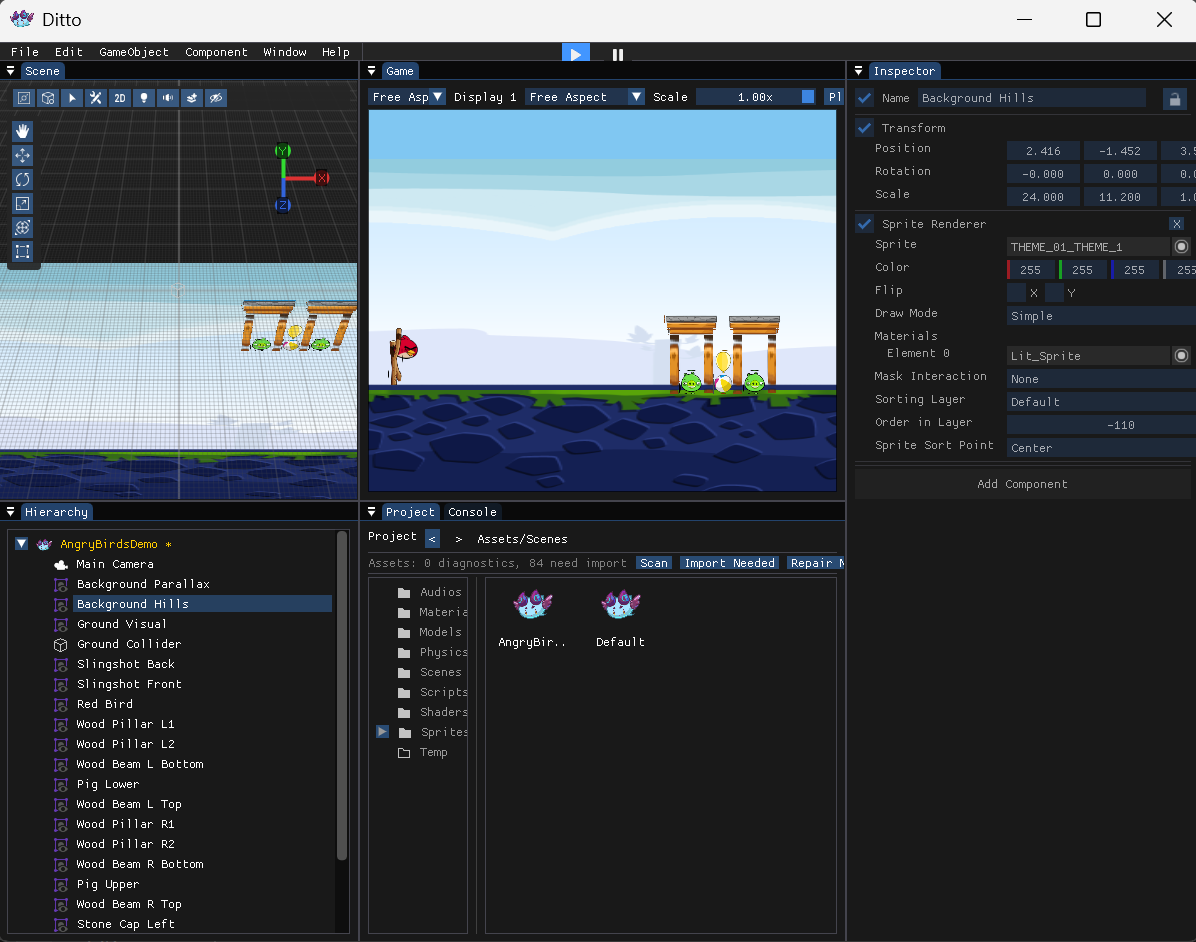
Asset saving is not the flashiest part of an engine, but it has a huge impact on whether the engine is usable. Without AssetDatabase, references are too fragile. Without scene serialization, project state cannot survive. Without prefabs, reuse becomes expensive. Without Asset Health, damaged projects are hard to diagnose.
At this point, the archived Ditto series has a compact structure:
1 | I Engine foundation: GameObject, Component, Editor, early rendering and physics |
These four posts do not cover every feature, but they explain the most important skeleton of the project: how objects are organized, how logic is extended, how rendering is submitted, and how projects are saved. For an archived personal engine, that is more useful than listing every feature one by one.
 wechat
 alipay